
See DocServant in action
Explore real examples of document extraction across different use cases
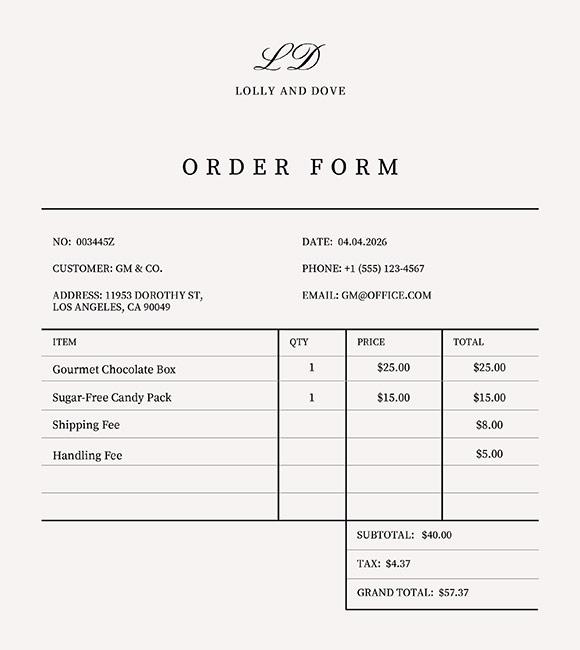
Order Form Analysis
Parse order data with items, amounts, and totals
Extract order history from order forms including item descriptions, and total amounts. Perfect for fulfilment and financial analysis.
| Item | Quantity | Price | Total |
|---|---|---|---|
| Gourmet Chocolate Box | 1 | $25.00 | $25.00 |
| Sugar-Free Candy Pack | 1 | $15.00 | $15.00 |
| Shipping Fee | $8.00 | ||
| Handling Fee | $5.00 |
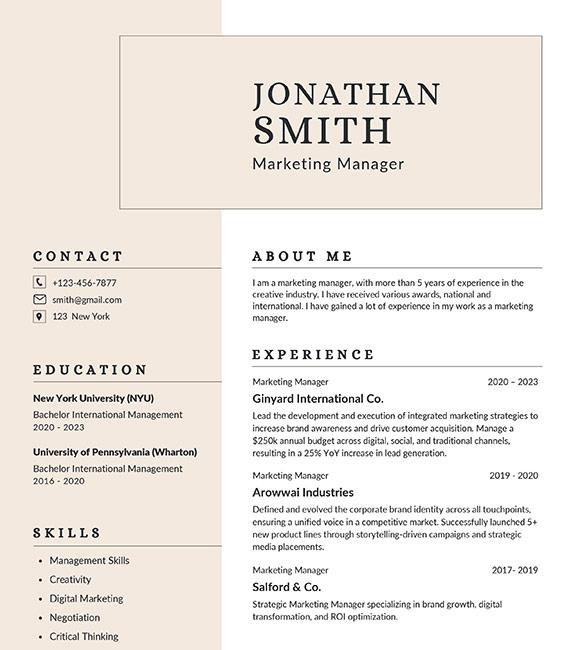
CV Summarization
Pull key details from any application
Extract contact details, key information, and skills. Makes managing and summarizing large amounts of applications easy.
{
  "firstName": "Jonathan",
  "lastName": "Smith",
  "email": "smith@gmail.com",
  "phone": "+123-456-7877",
  "address": "123 New York",
  "role": "Marketing Manager",
  "languages": [
    "English",
    "French"
  ]
}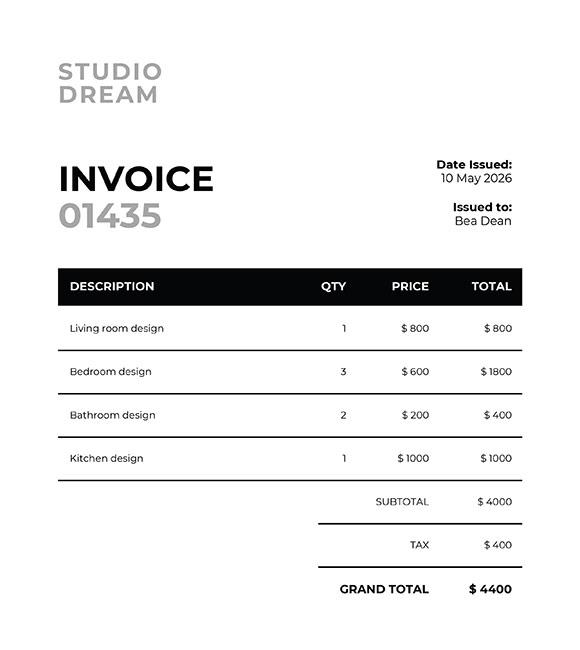
Invoice Processing
Extract line items, totals, and vendor information
Automatically extract invoice numbers, dates, vendor details, line items, tax amounts, and totals from any invoice format. Works with printed and handwritten invoices.
| Description | Qty | Price | Total |
|---|---|---|---|
| Living room design | 1 | $ 800 | $ 800 |
| Bedroom design | 3 | $ 600 | $ 1800 |
| Bathroom design | 2 | $ 200 | $ 400 |
| Kitchen design | 1 | $ 1000 | $ 1000 |
Not seeing your use case?
DocServant works with any structured document. Custom schemas let you extract exactly the data you need, no matter the format.